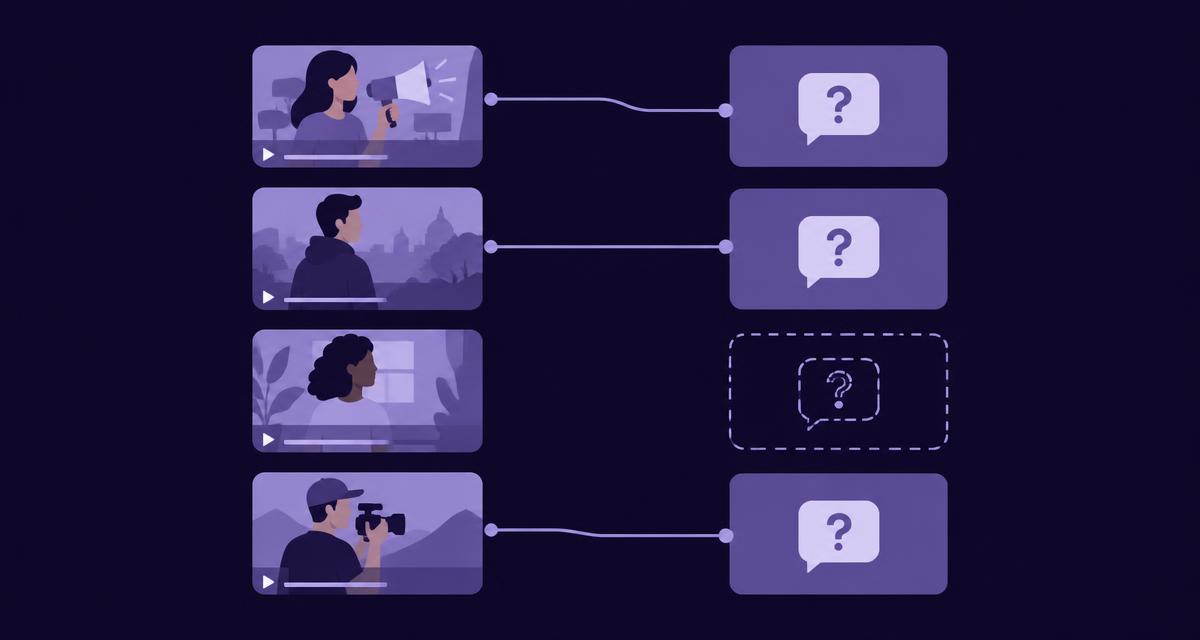
What you will achieve
You will create a small campaign content plan in which every proposed output has a reader, purpose, destination and explicit source selection. The finished plan will be ready for the appropriate approval and writing handoff, with unresolved evidence decisions kept visible.
This guide uses the campaign Content Sets workflow where it is enabled. If it is unavailable in your workspace, complete the same planning record alongside the supported single-video writing workflow. Navigation may vary as the campaign interface evolves; use the current campaign writing area rather than assuming a particular sidebar position.
Before you begin
- Select one campaign and gather all its ads, including relevant cutdowns and local executions.
- Have reviewed video findings, approved product facts and applicable brand guidance available.
- Choose a small set of reader questions or communication tasks.
- Identify the person who can approve the plan and the owners of the intended destinations.
- Check access to Content Sets and any later generation permissions or charges.
This is a planning guide. Approving the plan does not approve future generated copy or publish anything. Use the campaign collection guide first if the source assets still need organising.
1. Set the campaign objective and reader priorities
Write the outcome the planned content should support. For example: “Help customers understand the balm campaign's featured shades and the demonstrated application.” Identify the audience and the important questions before selecting formats.
Record the primary message and any supporting messages. Keep current approved product facts separate from the campaign's creative positioning. If several teams have different objectives, agree which belong in this content set rather than combining every request into one brief.
Create the content set in the campaign writing area where available, and enter the objective, audience and message context. Otherwise, use a named planning document with the same scope and owners.
2. Review all source ads and resolve identity questions
Inspect the campaign's analysed videos and open the findings relevant to the planned questions. Check product identity, visible actions, spoken wording and on-screen text. Note which execution supplies each useful moment.
Resolve proposed brand or product links through the current evidence-decision controls where available. Do not accept a proposed identity solely because it would make planning easier. Use approved references or ask the factual owner when the footage is ambiguous.
Keep a record of rejected or unresolved findings so they do not become convenient material for a later output. The campaign can support several drafts, but every draft still needs an appropriate source basis.
Check: the plan's product identities are reviewed, and unresolved source decisions are explicit.
Fictional balm-campaign planning record
Give each output a different job

The same planning record can live in a working document; no dedicated interface is required.
3. Give each proposed output a different job
Choose a small coordinated set. For the balm campaign, that might be a campaign introduction, a shade-identification answer and an application explanation. Each should address a distinct reader need rather than repeat the same summary in three lengths.
Identify whether an output creates a new resource or improves an existing destination. A product-page clarification is a legitimate planned deliverable. It does not need to become a standalone article to count as useful work.
Remove duplicates before generation. If two rows answer the same question for the same reader in the same place, combine them or explain the genuine difference. A plan should reduce unnecessary writing, not provide it with a tidier launch pad.
4. Add the destination, format and source selection
In the available planned-output controls, add each item with its format, product, market and language where relevant. Select the videos and specific moments that support the item. Do not attach the entire campaign indiscriminately when only a few reviewed findings are needed.
Record the destination's purpose and any required links or CTA. A campaign introduction may lead to the collection. A shade answer should help the reader identify the correct item. An application explanation may need a current directions link.
Use the approved references needed for factual additions. Keep style examples separate from those facts. If a source selection is too thin, narrow the item or mark the missing information for resolution before writing.
Check: every row has a clear job, a suitable destination and enough reviewed material to support it.
Illustrative writing handoff
Approve the plan, not unwritten copy
An approved plan is neither a generated batch nor a published result.
5. Review the plan as a set
Read the rows together. Check for repeated angles, inconsistent product identities, mismatched markets and unsupported claims. Confirm that the message hierarchy makes sense and that the destinations provide a coherent path for the reader.
Ask the destination owners whether the proposed changes can be published and maintained. Identify any external handoff. A format label such as LinkedIn or YouTube does not by itself establish a live connector or permission to post.
Review factual dependencies and approval responsibilities. An important blocked answer should remain visible as a source task rather than being quietly replaced by a more decorative item. Use the prioritisation article when deciding which rows should proceed first.
6. Approve the exact plan and record changes
Where Content Sets is available, use the plan approval action after the required decisions are complete. The approval should correspond to the actual items, sources and brief being reviewed. In a manual record, retain the approved version and named approver.
If the plan changes afterwards, inspect the changes and obtain the appropriate renewed approval. A new source, market or output can alter the scope even when the title remains familiar. Do not treat yesterday's approval as permission for an indefinitely expanding set of work.
Plan approval is separate from draft approval. It authorises the intended writing task within the applicable workflow; the resulting copy still needs factual and editorial review before publication.
7. Hand the plan to writing with clear boundaries
Record which approved items are ready to write, who will review them and how they will reach their destinations. If generation is enabled and authorised, use the current cost and run controls for the selected work. If it is unavailable, retain the approved plan and use the supported writing route without pretending a batch has run.
Review generated outputs individually. Keep the accepted revision identified when handing it to publishing. A publication package prepares delivery through supported destinations; it is not evidence that the content is already live.
Use the publication guide for the later live checks. The completed result of this guide is a reviewable plan with clear source and ownership boundaries, not an unverified bundle of published pages.
Worked three-output plan
The following is an illustrative planning record, not a screenshot or reported generation result.
| Output | Reader job | Source selection | Destination | Required review |
|---|---|---|---|---|
| Campaign introduction | Understand the collection's message | Main film and approved creative context | Existing campaign page | Campaign owner and editor |
| Featured-shade answer | Identify the item shown | Reviewed shade moments and approved mapping | Product or selection page | Product owner |
| Application explanation | Understand the demonstrated sequence | Application cutdown and current directions | Existing product explanation | Product reviewer and editor |
Add actual record references, owners and statuses in the working version. If one row needs a missing fact, show that dependency explicitly rather than marking the whole set ready.
Troubleshooting
| Problem | Action |
|---|---|
| Every item repeats the campaign summary | Give each row a distinct reader job or remove it |
| Product identity is unresolved | Resolve the evidence decision before drafting the affected answer |
| A plan changed after approval | Review the new scope and approve the current version |
| Generation is disabled | Keep the reviewed plan and use a supported authorised route |
| Publishing is outside the campaign view | Record the package or destination reference and preserve the handoff context |
Completion checklist
- Campaign objective and reader priorities are clear.
- All source ads were considered and useful findings reviewed.
- Each output has a distinct purpose and explicit evidence selection.
- Product, market, language and destination are correctly scoped.
- The exact plan has the appropriate approval.
- Writing, review and publishing responsibilities are recorded separately.
Next step
Explore AdCyte's campaign content workflow, then prepare the first approved item and review it before expanding the run.
FAQs
Does every campaign video need its own planned output?
No. Analyse every ad to understand its contribution, then select useful outputs. Several videos may support one answer, while one demonstration can inform several distinct tasks. The reader need determines the publication plan.
What if Content Sets is not enabled in our workspace?
Use the same planning fields in an external record and work through the supported writing workflow. Confirm access and generation availability with the account owner. Do not assume a feature visible in a demonstration is enabled everywhere.
Does approving the plan approve the generated articles?
No. The plan defines the intended work and sources. Each resulting draft needs its own review and accepted revision before the appropriate publishing handoff. Publication and live verification remain separate steps.