
The Short Answer
Web and SEO teams can use video campaign evidence to improve the pages customers already visit. The practical workflow is to identify a missing answer, review the relevant footage and approved facts, then prepare a specific page change with clear ownership. AdCyte supports the evidence and content work; the website team retains responsibility for implementation, technical checks and the live result.
Three key takeaways
- Begin with a page gap and customer question before choosing a new format.
- Give the publisher finished wording, supporting sources and explicit implementation decisions.
- Treat approval, publication and discovery as separate stages with their own checks.
The campaign can answer a question the website still ignores
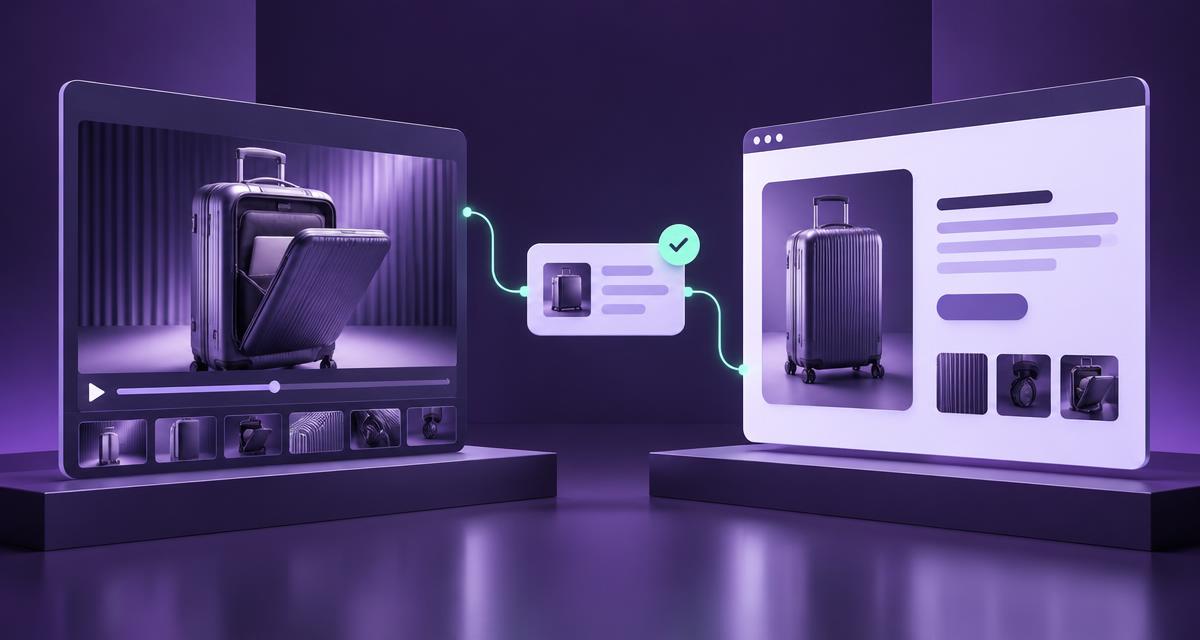
A product film may demonstrate a feature beautifully while the corresponding webpage offers a name, a photograph and a sentence about innovation. The production team has done the difficult visual work. The customer still has to work out what it means for them.
This is a useful meeting point for campaign and website teams. The objective is to recover explanations already present in the advertising and connect them with maintained product information. It does not require the web team to adopt every creative phrase as a search keyword.
Start with the actual customer journey. Which page follows the advert? What question would the demonstration naturally raise? Where does the current explanation become vague? Those questions produce a better brief than a request to create ten pages because ten feels industrious.
Agree the page's job
An existing product page may need a feature explanation. A watch page may need clear information about its video. A campaign page may need context that distinguishes the film from the wider product range. These are related assignments, but they should not be collapsed into one generic content template.
Record the destination and the missing answer before drafting. Check whether another page already owns the topic. If it does, a link or a targeted improvement may be the most useful outcome.
This keeps the project manageable and gives the team a clear acceptance test: can a reader now resolve the identified question? Traffic may matter later, but the first test should concern the thing the team actually changed.
Give evidence a place in the brief
Review the relevant campaign assets in AdCyte. Open supporting moments, identify the exact product and separate what is shown from what approved references establish. A visual demonstration may explain a mechanism without proving durability or universal compatibility.
Consider a suitcase film showing a front compartment. The website brief could request a clearer explanation of that opening action. It should not infer laptop compatibility from a generic laptop prop or assume every size in the range has the same layout.
The product owner can resolve those details through current references. Where an answer remains unavailable, the draft should preserve the uncertainty privately and exclude unsupported wording publicly. A gap in the evidence is a task to assign, not an invitation to improve the adjective.
Divide responsibilities sensibly
| Decision | Accountable role | Useful evidence of completion |
|---|---|---|
| Which customer question matters? | Content or search owner | Agreed question and destination |
| What can the product claim say? | Authorised product reviewer | Current references and accepted wording |
| What does the film establish? | Campaign or evidence reviewer | Asset version and supporting moment |
| How should the page be implemented? | Website owner | Placement and technical decisions |
| Is the result correct? | Named release checker | Actual live-page inspection |
One person can cover several roles. What matters is that ownership remains visible when the work crosses teams. “The website people” is a department description, not a named reviewer.
Make the request implementable
Supply the finished section, relevant FAQ, proposed links and intended placement. Explain whether the change replaces existing copy or adds something new. Identify any image or video requirement using the actual asset, not a speculative screenshot.
Keep technical questions explicit. If the page contains a genuine video, ask the website owner to assess the relevant implementation against current guidance. Do not prescribe markup for content that does not exist or imply that a field will guarantee AI visibility.
The handover guide provides a working format for these decisions. It can live in an ordinary document and move through the team's existing release process. A useful workflow does not become less useful because it lacks a bespoke button.
Work through a small release
For the suitcase campaign, the first change might be one paragraph explaining the compartment and a descriptive link to current dimensions. The team confirms the exact model, reviews the footage and obtains the relevant product reference.
The editor prepares the copy. The product reviewer checks the feature and conditions. The website owner chooses placement within the established page design. After release, the checker confirms that the public page contains the accepted wording and the right links.
That sequence leaves a useful record of decisions. If the model later changes, the team can identify the affected section. If a search observation raises a new question, the evidence can be inspected without restarting the entire project.
Measure the change at the right level
Record which page improved, what question it now answers and whether the release passed its checks. If analytics are available, examine relevant behaviour using the existing measurement setup. Do not add duplicate tracking merely to make the project appear more measurable.
For sampled AI answers, keep the provider, question, date and visible sources. An answer referring to the product does not necessarily cite the edited page, and a citation does not establish a sale. These distinctions help the team decide what to investigate rather than overclaiming a result.
Connect campaign and website work
Explore AdCyte for GEO, search and digital discovery to connect campaign evidence with useful public answers. For a workflow involving several publishing teams, book a workflow demo.
FAQs
Does this require a new website section?
No. Begin with the appropriate existing destination. A new page should answer a distinct need with sufficient substance rather than duplicate a current explanation.
Does AdCyte replace our CMS?
This workflow does not assume that. Use supported publication routes or hand reviewed content to the website team through its existing process.
Can the SEO team approve product claims?
Only where that responsibility is explicitly assigned. Product accuracy and editorial or technical review should have clear authorised owners.
Should we include the entire transcript?
Include it where it serves the page's purpose. A targeted visual explanation may answer the customer's question more directly; keep transcript and editorial observation distinct.
What if the film and product page disagree?
Resolve the discrepancy with the responsible owners before extending the affected claim. Record the relevant version and current product reference.
How is this different from the previous ecommerce brief?
The ecommerce brief develops a product-page assignment. This article addresses the broader collaboration between campaign, content, search and website teams across different page types.