
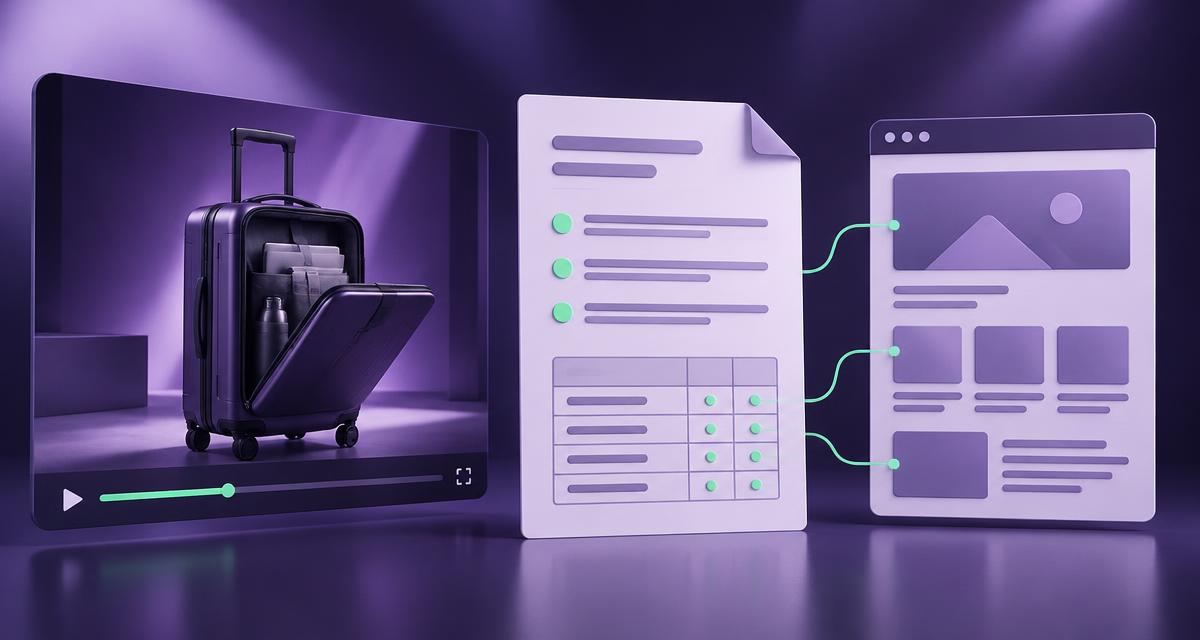
What you will achieve
Create a reviewable handover connecting one campaign video with a specific website improvement. It will contain the customer question, product identity, supporting evidence, finished wording, publication fields and assigned technical decisions.
This is an editorial working document. Use current AdCyte evidence and writing capabilities where available, then assemble the record in your team's normal format. The guide does not assume a native schema generator or CMS integration.
Before you start
Gather the final campaign asset, intended destination, current product references and brand guidance. Identify a product reviewer and website owner. Use cleared material for any screenshots.
The example uses an illustrative suitcase called Passage 40. Its front compartment opens separately in the film. No dimensions, airline acceptance or laptop-size claim is established by the example.
1. Write the page assignment
Record the question, existing destination and proposed change. For this example: “How does the front compartment open?” The destination is the matching product page, and the change is a short explanation beside its feature section.
Check whether the page already answers this question. If it does, record the navigation or wording problem rather than commissioning another section with the same answer.
Check: the website owner can explain what should improve and where.
2. Establish the exact product and asset
Record the final asset version, model, relevant variant and market. Open the supporting moment in AdCyte and confirm that the depicted product matches the destination.
Keep campaign shorthand alongside the official identity where necessary. A range name alone may not distinguish sizes or configurations. Resolve that relationship before drafting any feature statement.
Check: a colleague can find the same asset and product without asking which “final” file you meant.
3. Build a small evidence table
| Proposed fact | Evidence in the example | Decision |
|---|---|---|
| Model is Passage 40 | Final product identification | Use after identity review |
| Front compartment opens separately | Demonstrated opening sequence | Describe the observed action |
| Any laptop will fit | Not established | Exclude |
| Accepted by every airline | Not established | Exclude |
| Current measurements | Maintained product reference required | Link only after destination is checked |
Replace the example references with actual source locations. Do not invent timestamps when preparing a live record. Inspect the surrounding sequence so a brief shot is interpreted in context.
Check: every sentence proposed for publication has a source or an explicit unresolved dependency.
4. Prepare the visible copy
Use the evidence to write an answer that works independently of technical markup. Here is the example section:
How does Passage 40's front compartment open?
The campaign demonstration shows Passage 40's front compartment opening separately from the main case. It gives a closer view of the opening action and the compartment layout shown in the film.
Check the current product information for the relevant model before deciding what you intend to carry. The demonstration does not establish compatibility with every laptop or the baggage rules for your journey.
Proposed action: View the current Passage 40 product details.
Use the actual maintained destination for that action. Review whether the qualification is needed in the final placement, keeping any material limitation clear rather than hiding it in internal notes.
Check: the wording explains the demonstrated action without extending it into unsupported suitability claims.
5. Add the implementation fields
| Field | Example handover entry |
|---|---|
| Destination | Existing Passage 40 product page; owner to confirm canonical |
| Change type | Improve existing feature section |
| Visible heading | How does Passage 40's front compartment open? |
| Copy | Reviewed section above |
| Media | Final campaign video if appropriate to the page |
| Supporting sources | Actual asset moment and current product reference |
| Technical decision | Website owner to assess relevant page and video markup |
| Link decision | Current model details; no invented destination |
| Review trigger | Changed model, campaign cut or product reference |
Keep the internal evidence notes out of the public page. Do not convert a planning table into markup automatically: some fields describe the workflow rather than public content.
Check: public copy and private implementation notes are visibly separated.
6. Assign the technical review
Ask the website owner to check the actual page type, media availability and relevant implementation. Use Google's video guidance where the assignment concerns a video destination.
The handover should state what is known and which decisions remain. It should not require a VideoObject for an absent video, invent missing dates or treat a valid markup test as proof of discovery.
Check: the technical reviewer has a bounded assignment with real inputs.
7. Review and hand over
Have the product reviewer check identity, meaning and qualifications. Have the publisher confirm placement and implementation. Record accepted wording and unresolved dependencies in the working document.
If the product owner cannot establish a nonessential detail, remove that detail. If it is essential to the promised answer, hold the affected section. A shorter accurate answer is easier to maintain than a longer answer containing one hopeful sentence.
Check: the receiving team acknowledges the exact change it can implement.
8. Inspect the public result
After the authorised publishing process, check the actual page, media and links. Compare the visible wording with the approved version and verify the relevant technical output through the website team's normal tools.
Record publication separately from approval. Search or AI observations belong in a subsequent record, with their own dates and context.
Troubleshooting
| Problem | Action |
|---|---|
| Model identity is unclear | Resolve against the final asset and current reference |
| Markup and visible copy differ | Correct the implementation to reflect the approved public information |
| No suitable video destination exists | Decide the page purpose before adding technical requirements |
| A source is private | Keep private evidence internal and prepare an appropriate public explanation |
| The same answer already exists | Improve or link the current destination |
Completion checklist
- Question, destination and change type agreed.
- Product and asset versions identified.
- Evidence supports the proposed copy.
- Finished wording and real destination links reviewed.
- Technical decisions assigned to the website owner.
- Approval and publication recorded separately.
- Live result inspected after implementation.
Prepare your first handover
Explore AdCyte's content workflow to connect video evidence with reviewed writing. For a shared campaign and website process, discuss the workflow.
FAQs
Is this a schema-generation tutorial?
No. It prepares accurate inputs and a clear technical assignment. The website team implements the relevant markup for the actual page.
Can several ads support the same handover?
Yes. Retain each asset version and source location, and check that their product identities and conditions are compatible.
Does handover completion mean publication?
No. Record acceptance, implementation and the live check as separate events.