What you will achieve
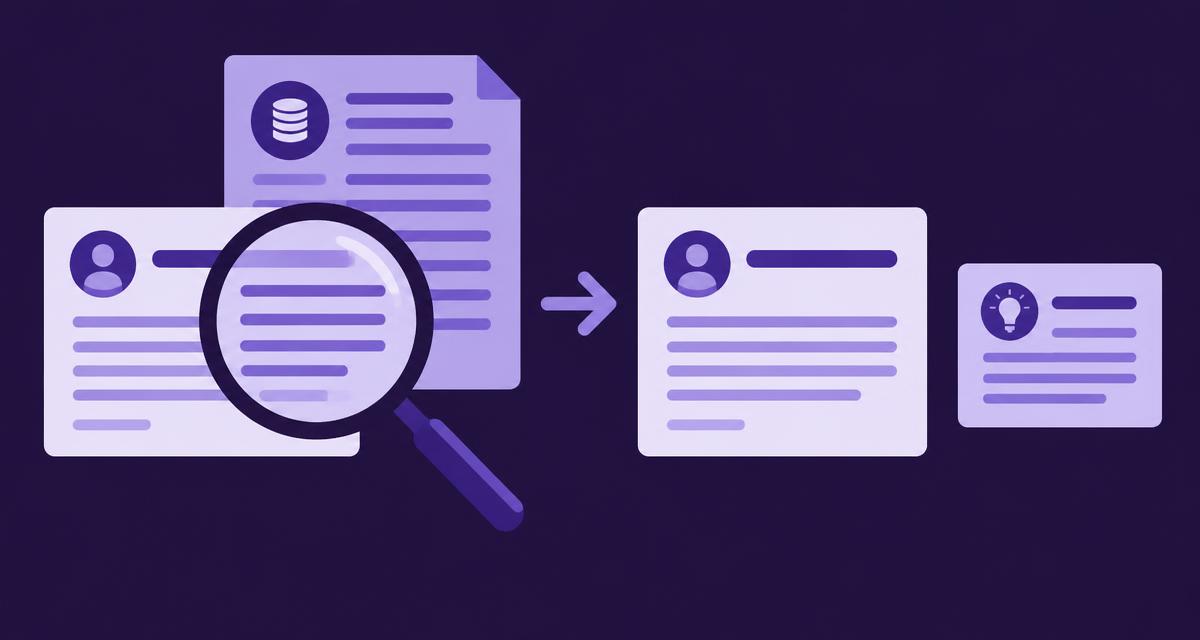
Turn a questionable product statement into a reviewable investigation and a specific correction task. You will preserve the original observation, compare it with current approved facts, identify what your team can change and prepare an evidence-backed response. The finished record separates a confirmed error from an unresolved question and separates a proposed correction from a verified public change.
Before you start
You need the statement in context, its source or sampled answer, the relevant product and market, and access to current authorised facts. Include any cited page and the supporting video evidence where it helps explain the issue.
Use the investigation features available in your current AdCyte setup. If the workspace does not provide a dedicated correction workflow, keep the same record in your existing review task and link back to the saved evidence. Exact interface labels and supported external actions must come from the current product.
Identify the person who can confirm the fact and the owner of any destination you may need to change. An external AI answer is an observation to investigate, not a document your team necessarily has permission or ability to edit.
1. Preserve the statement and its context
Save the exact wording and enough surrounding content to understand what it means. For a sampled AI answer, retain the question, provider or surface, collection date, returned answer and cited URLs where available.
For a website statement, record the URL and the date you inspected it. Distinguish the page itself from an excerpt or search snippet. Avoid relying on a paraphrase that may have introduced the very ambiguity you are investigating.
In the working record, describe the suspected issue without declaring it proven. “Answer states that every package includes a travel case; package scope needs checking” is a useful start.
Check: another reviewer can inspect the original observation and see why it was flagged.
2. Define the product scope
Identify the exact product, version, market and period to which the statement appears to apply. Check variant names and package differences before comparing facts.
A statement about a previous model can look wrong beside the current specification while remaining historically accurate. A retailer bundle can contain an accessory that the standard package does not. Record these possibilities before requesting a correction.
If the statement does not identify its scope, treat that ambiguity as part of the issue. The right response may be a clearer qualification rather than a simple reversal of the claim.
Check: the investigation compares equivalent products and conditions.
3. Compare the approved facts and video evidence
Open the authorised product source and confirm the fact with its owner where necessary. Record the applicable wording, source version and limitations. Then inspect the relevant video moment if the campaign contributes evidence or may have created ambiguity.
For example, a launch film may show a travel case while the approved package record lists it only in a travel bundle. The film establishes that the case was shown. The package record establishes which purchase includes it.
Do not assume that the advert, the sampled answer or the most recent-looking page has greater authority simply because it is easier to access. Resolve disagreements through the appropriate source owner.
Check: the proposed factual conclusion has an authorised basis and a clearly stated scope.
4. Classify the issue and choose the response
| Finding | Appropriate response |
|---|---|
| Confirmed error in content you control | Prepare a correction for the destination owner |
| Ambiguous wording | Prepare a scoped clarification |
| Outdated but historically accurate material | Review the need for a date, version note or current reference |
| Sources conflict | Request a factual decision before drafting a remedy |
| External answer is wrong while owned content is clear | Preserve the observation and investigate cited sources or available feedback routes |
| Evidence is insufficient | Keep the issue unresolved and specify the missing information |
Record the reason for the classification. Avoid changing an accurate page merely because an external answer is wrong. First establish whether the page could reasonably contribute to the misunderstanding.
Check: the proposed action addresses an evidenced problem that someone can actually act on.
5. Prepare the correction brief
Write a short brief containing the observed statement, confirmed fact, affected destination, proposed wording, supporting sources and approval owner. Explain what the revision changes and which conditions must remain visible.
For the travel-case example, the proposed wording might distinguish the standard package from the travel bundle and link to the current package details. It should not replace one over-broad claim with another.
If an external publisher controls the page, prepare a factual request with the evidence and the precise correction sought. Use the organisation's authorised communication process; preparing the brief does not mean the request has been sent or accepted.
Check: a reviewer can approve, amend or reject a concrete proposal rather than a general instruction to “fix the AI”.
6. Review, act and verify the destination
Obtain the appropriate factual and editorial approval. For content your team controls, publish through the supported workflow or assign the approved change to the destination owner. Then inspect the live result.
For external destinations, record whether a request is prepared, sent through the authorised process, acknowledged or completed. Preserve that distinction in the task status. Good intentions are not a publication state.
Check related material that depends on the same fact, including descriptions and existing answers. Where the current product can identify linked outputs, inspect them; otherwise use the publication register and known destinations.
Check: the record states what was changed, where, by whom and what remains unresolved.
7. Recheck the observation without promising the result
If the issue came from a sampled AI answer, repeat an appropriate compatible check after the corrective work, according to your observation plan. Preserve the new answer and compare it with the earlier one.
The answer may change, remain inaccurate or vary between checks. A corrected owned page does not guarantee an immediate response from an external system. Record the observation and decide whether further investigation is justified.
Check: the closing note separates verified source correction from any later change in sampled answers.
Your finished investigation record
| Field | Example |
|---|---|
| Observation | Sampled answer says all packages include a travel case |
| Confirmed fact | Current UK travel bundle includes it; standard package does not |
| Contributing source issue | Owned FAQ uses an unqualified package description |
| Proposed remedy | Replace the FAQ wording with a package-specific answer |
| Approval | Product owner confirms fact; editor approves wording |
| Verification | Live FAQ inspected after the change |
| Remaining observation | Later sampled answers recorded separately |
Troubleshooting
If sources conflict, pause the factual conclusion and ask the owner for a decision. If the problem exists only in an external answer, check the cited sources and available feedback process. If the same error returns, examine product naming and repeated source ambiguity before commissioning more near-identical content.
Completion checklist
- The original statement is preserved in context.
- Product, version and market are identified.
- The factual conclusion has an authorised source.
- A concrete remedy and owner are recorded.
- Publication or external-request status is accurate.
- Source changes and later observations are reported separately.
Next step
Use the maintenance article to add change triggers to related content. If your team handles recurring accuracy issues, book an AdCyte demo with one real statement and its supporting sources.
FAQs
Should we rewrite our page whenever an AI answer is wrong?
First inspect the answer, its sources and your own page. Rewrite when there is an evidenced problem or a useful clarification to make. If the owned content is already accurate and clear, record that finding and investigate other sources or the available external feedback route.
Can AdCyte directly correct an external AI answer?
Do not assume that it can. The workflow supports investigation and preparation of a remedy using the capabilities available in your setup. External providers control their own answers. Record any feedback or correction request separately from changes your team can make directly.
When can we close the task?
Close the action when its defined completion condition is met, such as a verified change to an owned page. Keep any unresolved external request or ongoing observation visible as a separate item. An investigation can reach a useful conclusion without guaranteeing a particular future AI response.
<!-- Public copy ends. -->