
The Short Answer
Video SEO is the work of helping people discover relevant videos through search. It includes the way a video is presented, described and made available on platforms such as YouTube and on your own website. VideoGEO adds a related task: turning information inside video advertising into reviewed written answers and useful public content. A brand can improve the discoverability of the film and the usefulness of the knowledge it contains.
Three key takeaways
- A YouTube video, a website video page and a written product answer serve related but different needs.
- Video SEO remains useful; VideoGEO gives campaign information additional ways to be understood and used.
- Review the whole campaign, then choose destinations that help customers rather than creating a page for every edit.
Start with what the person wants to find
Someone searching for a product demonstration may want to watch the mechanism in action. Someone asking whether the product fits their circumstances may need dimensions, compatibility details or a clear explanation. The same campaign can help both people, but it will not necessarily do so through the same page.
That distinction is important for advertising. An advert may be excellent at making a product memorable and much less interested in spelling out its model number. The campaign line has a job to do. It should not be expected to carry the entire search strategy on its shoulders.
Video SEO helps connect the video with the right searcher. VideoGEO helps teams identify useful information in the creative and develop other appropriate explanations from it. Together, they give the campaign a more considered public presence.
Video SEO covers more than YouTube tags
On YouTube, the surrounding information needs to help viewers understand what they will see. YouTube describes relevance, engagement and quality as central elements of its search system. Its guidance considers the video itself as well as information such as titles and descriptions.
For a brand, the editorial implication is straightforward: describe the actual film accurately and give viewers a useful reason to watch. A product demonstration should identify the demonstrated product and task. A brand film can retain its creative title while adding enough context to be intelligible outside the campaign meeting.
The website has a different set of practical responsibilities. The page needs a clear purpose, working media and relevant supporting information. Google's video guidance distinguishes a page designed around watching a video from a page where video is supplementary. Indexing a page and indexing its video are also separate outcomes.
That means a product page with an embedded advert can be useful without serving exactly the same purpose as a dedicated watch page. Decide what the destination is for before choosing how to build it.
What does VideoGEO add?
VideoGEO starts with the knowledge in the campaign. AdCyte examines visual action, speech and on-screen text, then connects useful findings with the evidence that supports them. Teams can use that material alongside approved facts to develop descriptions, answers, FAQs and other written content.
The point is not to assume that AI systems are incapable of understanding video. Capabilities vary. The practical opportunity is to make campaign information available in forms that people can read, inspect, maintain and use across appropriate destinations.
A demonstration of a fold-away mechanism may support a useful answer about storage. A product close-up may establish which variant appears in the film. An on-screen condition may prevent a written claim from becoming too broad. Those details deserve more attention than a hurried transcript and a handful of tags.
Three destinations, three useful jobs
Consider a brand launching a compact speaker. The campaign shows it moving from a kitchen to a garden, pairing with a phone and sitting beside a charging cable. There is also a short edit focused on a particular control.
| Destination | Main job | Appropriate campaign contribution |
|---|---|---|
| YouTube video | Help someone find and watch the film | Accurate title, description and relevant destination links |
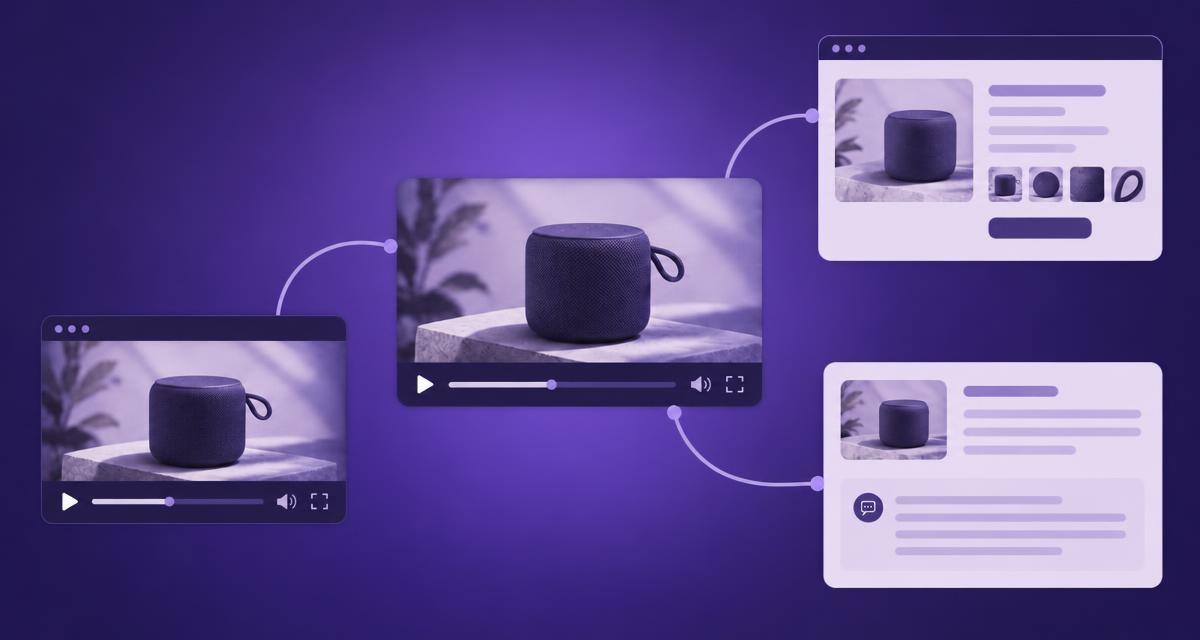
| Website watch page | Present the video as the main experience | Prominent player, clear context and supporting information |
| Product answer or FAQ | Resolve a specific customer question | Reviewed explanation of a demonstrated feature, with approved conditions |
The product answer might explain how pairing works for the named model. It should not infer waterproofing because the speaker appears outdoors. A sunny garden is a location, not a technical certification.
The three destinations can link to one another where helpful. They do not need identical copy, and they should not compete to be the definitive source for every detail. A current specification page may remain the authority for changing product information.
Keep the creative idea and add the missing context
Brands sometimes worry that search optimisation will reduce every title to a model number followed by six keywords. That is an editorial choice, not a requirement of useful communication. You can preserve the creative idea while making the subject understandable.
A campaign film called “Take it outside” might need the brand, product and purpose in its surrounding description. A practical demonstration might benefit from a more direct title such as “Pairing the compact speaker with your phone”. The right choice depends on what the actual video offers.
Write for the person arriving without campaign context. Explain what they will see, identify the product accurately and provide a relevant next step. If the film is primarily atmospheric, describe that honestly rather than presenting it as an instruction video.
Treat transcripts and visual evidence differently
A transcript is a valuable record of speech. It can also be incomplete as an explanation of a visual demonstration. A voiceover might say “ready when you are” while the screen shows the exact button sequence that makes the product ready.
Keep the transcript accurate, then add a separate reviewed explanation where it helps. Label visual descriptions appropriately and do not insert editorial interpretation into a transcript as though somebody spoke it. The transcript explainer explores this distinction in more detail.
Approved references remain important. A demonstration can show a successful pairing, but compatibility across devices may require a current product source. The written answer should be no broader than the combined evidence supports.
Build a campaign record before choosing outputs
Review all relevant ads and edits through AdCyte. Record the product identities, demonstrated features, claims and conditions. Shorter versions can contain details or omissions that change how a statement should be used.
Group useful findings around customer questions, then inspect the destinations that already exist. If the product page lacks a clear pairing explanation, improve that section. If the launch film deserves a dedicated viewing experience, prepare a watch page. If a question is already answered well, link to the existing answer.
This prevents a common problem: three teams publishing three slightly different descriptions of the same product because each began with a different edit. The campaign should have room for creative variation without acquiring three incompatible sets of facts.
Be specific about the technical handover
Give the web team a defined page purpose, the correct media asset and the approved supporting copy. Include the intended title, thumbnail, source references and links. Ask them to check the current requirements for their hosting and publishing setup.
Keep editorial readiness separate from technical readiness. A beautifully reviewed answer can still sit behind an accidental login wall. A technically accessible page can still contain the wrong product information. Both checks are needed, and neither replaces the other.
Use the video landing-page guide for a practical handover. It explains how to prepare the content and work with the site owner without assuming that AdCyte manages every part of the website.
Measure the right thing for each destination
For the video, inspect the available platform data and the behaviour relevant to the viewing task. For the website, examine page discovery, visits and useful next actions using the data you have. For AI visibility, retain sampled answers and assess the actual representation and sources.
Do not roll these into one grand “video visibility” number unless the method and limitations are clear. A viewer finding the film, a customer reading the product answer and an AI service citing a page are different events. They may support the same campaign objective, but they require different evidence.
Record the changes and dates so later observations have context. A successful handover should also make it easier to update the public information when the product or campaign changes, without leaving a trail of contradictory descriptions behind it.
Give the film and its information a useful home
Start with the video landing-page guide if your next task is website publication. To understand how campaign details become reviewed written content, explore VideoGEO in AdCyte.
FAQs
Is video SEO only about YouTube?
No. It also concerns videos published on websites and their discovery through search. Platform-specific work and website implementation need to be considered in their own contexts.
Does VideoGEO replace video SEO?
No. Video SEO helps people discover videos. VideoGEO develops useful written knowledge from the campaign evidence. The two can support different parts of the same customer journey.
Should every video have a dedicated watch page?
Choose according to the purpose and value of the destination. A dedicated page may suit a film people want to watch, while several short edits may support one campaign or product page.
Can I use the same description everywhere?
Keep facts consistent, but adapt the explanation and next step to the destination. A YouTube viewer and a product-page visitor may need different context and different levels of detail.
Is a transcript enough for a product demonstration?
It may miss the action and on-screen details that make the demonstration useful. Keep the transcript accurate and add a reviewed explanation of relevant visual evidence where needed.
Can an indexed page still have an unindexed video?
Yes. Page and video indexing are distinct. Ask the site owner to inspect the actual status and relevant requirements rather than assuming one establishes the other.