
The Short Answer
YouTube and website teams can make a video launch easier to discover by agreeing what each destination should do, sharing the same approved product context and linking viewers to the next useful explanation. Review the campaign evidence once, then prepare descriptions and written answers appropriate to each channel. Check the actual published video and pages separately, and keep their performance measures distinct.
Three key takeaways
- Give the YouTube upload, website video page and product answer a clear job before writing their copy.
- Share product identities, source references and qualifications so different teams do not publish conflicting versions of the campaign.
- Treat publication and measurement as channel-specific work, with named owners and a coordinated review.
The launch can look coordinated and still be disconnected
The film is live on YouTube. The campaign page looks excellent. The product page contains the approved specifications. Unfortunately, none of them explains the feature that made the launch interesting, and the description links to the homepage because that URL was easiest to find.
This is often a handover problem. The channel team thinks about viewing, the website team thinks about pages and the product team thinks about facts. Each can do its own job well while the customer is left assembling the answer.
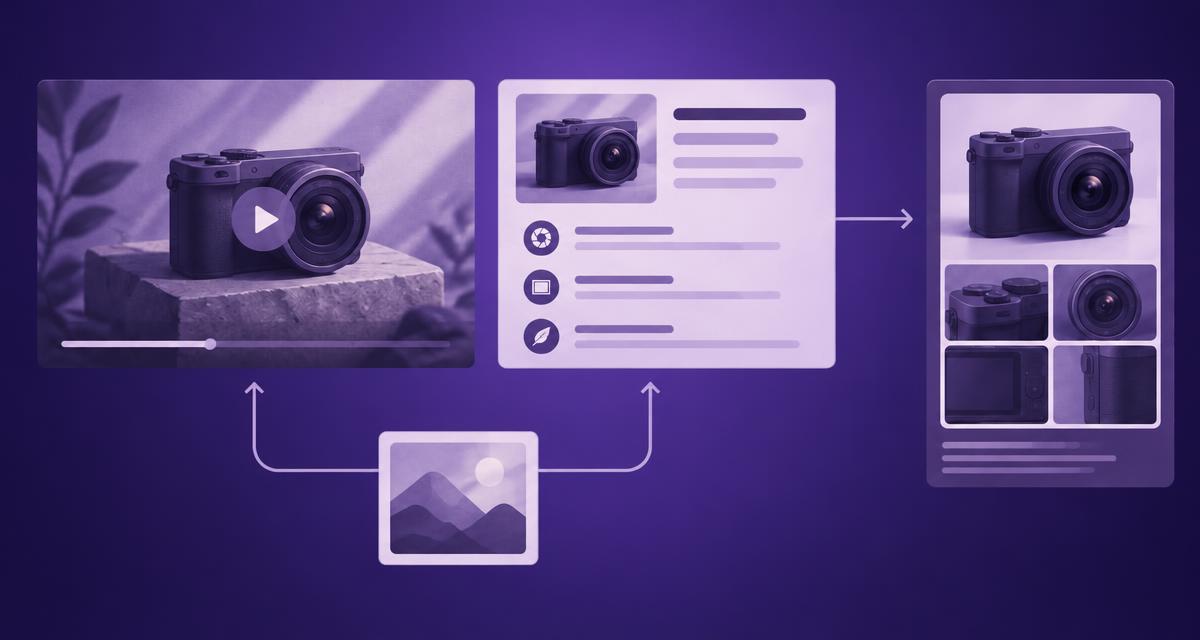
The practical improvement is to plan the connections. Agree what someone should watch, what they should understand afterwards and where they should go for the next decision. Then use the campaign evidence to support those journeys.
Define the role of each destination
Start with the video itself. A cinematic launch film offers a different experience from a detailed demonstration. Its title, description and surrounding context should make that purpose clear. Do not promote a brand film as a tutorial when the viewer will spend most of it admiring the coastline.
Next, decide what the website contributes. It may provide a dedicated place to watch the launch, an explanation of the product or both through linked pages. Keep the visitor's likely task in mind rather than assuming that embedding the same player everywhere completes the work.
| Destination | Reader or viewer need | Owner's responsibility |
|---|---|---|
| YouTube upload | Understand the film and choose whether to watch | Accurate packaging and useful destination links |
| Campaign or watch page | See the launch in its brand context | Correct media, clear purpose and onward navigation |
| Product explanation | Understand a feature or suitability question | Approved facts and a focused answer |
| Current specifications | Check detailed or changeable information | Authoritative maintenance and version clarity |
These roles can fit within an existing site structure. The launch does not automatically need four new pages.
Build one shared evidence record
Review the campaign's ads and edits in AdCyte. Identify the relevant products, demonstrated actions, spoken claims and on-screen conditions. Use the supporting moments to resolve what the film actually communicates.
Add current approved references for details that need a broader source. A camera advert might demonstrate a stabilisation mode, while the product documentation establishes compatible settings and restrictions. Keep those sources connected without treating them as interchangeable.
Share the record with both channel owners. They can then adapt the writing while preserving the same facts. This is particularly useful when a short YouTube edit uses a different product configuration from the full website film.
Work through a feature-led launch
Imagine a compact camera launch with a hero film and a short demonstration of a handheld recording mode. The YouTube team wants an engaging upload; the website team needs to explain why the feature matters to a prospective buyer.
The shared record identifies the camera version, the mode shown and the conditions attached to it. The YouTube description introduces the demonstration and links to the relevant feature explanation. The website page explains how the mode is used and points to current specifications for the detailed limits.
The campaign page can connect the creative story with that practical resource. A viewer who becomes interested has a useful next step, while someone arriving with a product question can reach the explanation without watching the entire launch film first.
Nothing in that workflow requires claiming that a dramatic shot proves universal performance. Beautiful footage remains beautiful footage. The specifications still have to do their own work.
Adapt the copy for the task
Use the shared evidence to write channel-appropriate descriptions and answers. The YouTube copy should help a viewer understand the actual video. The website explanation can provide more context, a comparison table or an FAQ when the reader needs it.
YouTube's search guidance describes relevance in terms that include both video content and its surrounding information. Our editorial recommendation is therefore to keep the packaging specific and faithful to the film, with no unrelated keyword padding.
AdCyte can help prepare written outputs from campaign evidence and supplied context. Confirm the current publishing route for each destination. A manual upload or CMS handover is a perfectly workable process when its owner and approved version are clear.
Make links earn their place
Choose the most useful destination for each link. A product demonstration normally deserves a direct route to the relevant product explanation rather than a generic homepage. A detailed feature answer may link back to the demonstration so the reader can see the action.
Use link text that explains what the visitor will get. “See the recording-mode demonstration” is more useful than “find out more” when several links appear together. Check that the target is public, current and appropriate to the viewer's market.
Avoid creating a circular journey where the YouTube description sends viewers to a campaign page that simply sends them back to YouTube. A tour of the same two destinations is still a tour, but it is a modest return on the visitor's enthusiasm.
Run a coordinated launch check
Have each owner inspect their own destination and the handover to the others. Check the correct edit, title, description, product identity, links and important qualifications. On the website, include mobile viewing and the actual behaviour of the player.
The video landing-page guide provides the content and technical handover for the web team. Keep those implementation checks separate from editorial approval so a correct draft does not conceal a broken published experience.
Record the working URLs and publication dates. If one destination is delayed, update the links or release sequence accordingly. Do not send customers to a draft just because the campaign calendar has become emotionally attached to a particular date.
Keep the measurement useful
Review viewing performance with the YouTube owner and website behaviour with the web team using the data each actually has. If AI visibility is in scope, inspect sampled answers and citations as a separate observation stream.
Compare the findings against the purpose of each destination. A practical product answer may succeed by helping someone complete a decision, while a campaign film may primarily serve viewing and brand engagement. Different jobs deserve different measures.
Finally, agree who maintains the connections after launch. New product versions, removed videos and changed offers can break an otherwise sensible journey. The handover should survive the launch meeting and the inevitable change of spreadsheet owner.
Connect the next launch
Explore AdCyte's publishing workflow to see how reviewed campaign content can reach supported destinations. For a launch involving several owners, book a workflow demo.
FAQs
Should YouTube and the website use identical titles?
Not necessarily. Keep the product identity and facts consistent, but choose wording that suits the destination and the actual viewing or reading task.
Does AdCyte need to publish both destinations?
No. Use supported routes where available and the team's established manual process elsewhere. The important point is that the approved content and publication responsibility are clear.
Can a product page include the launch video?
Yes, where it helps the customer. Decide whether viewing is the page's main purpose or a supporting element, and ask the web team to implement it accordingly.
Should the short edits be reviewed too?
Yes. They may show different configurations, claims or conditions. Include them in the campaign review even when several edits ultimately support one written explanation.
What if one destination is not ready?
Keep the incomplete destination out of public links and record a backfill task. Use a suitable existing public page if it answers the visitor's need, then update the journey when ready.
Can we prove the website answer caused more video views?
Only where appropriate evidence supports that conclusion. Record attributable activity where available and avoid turning a sequence of events into a causal claim.